Members
(constant) Use custom event
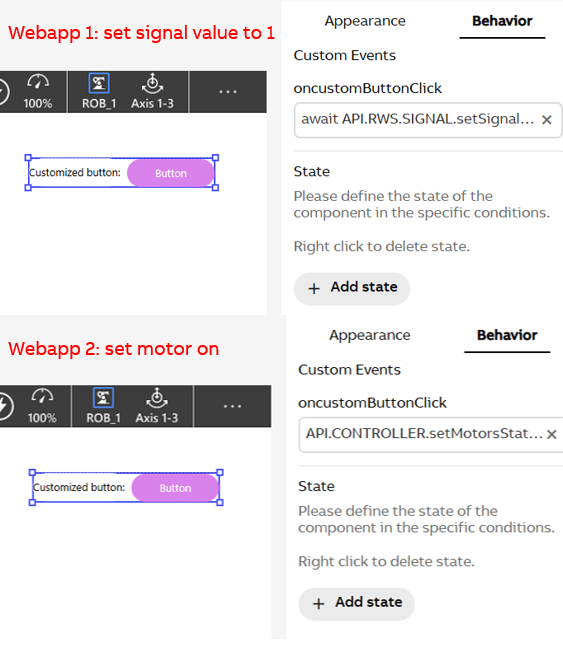
Scenario: A custom component contains a button component whose click event varies according to web apps:
- WebApp 1: Sets a digital signal to 1
- WebApp 2: Turns motor on
Solution: Using custom event feature in the AppStudio, you can define different click behavior of a button per project.
- In Component Designer, create a custom event for the custom component. Custom events can be created in the Component Designer. A custom event is a reusable action triggered by a button component. It enables flexible event handling among different application / web apps.
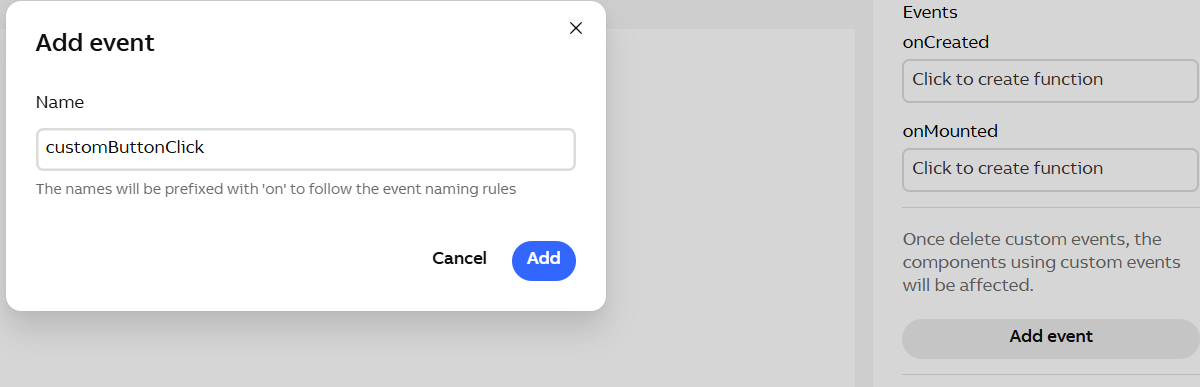
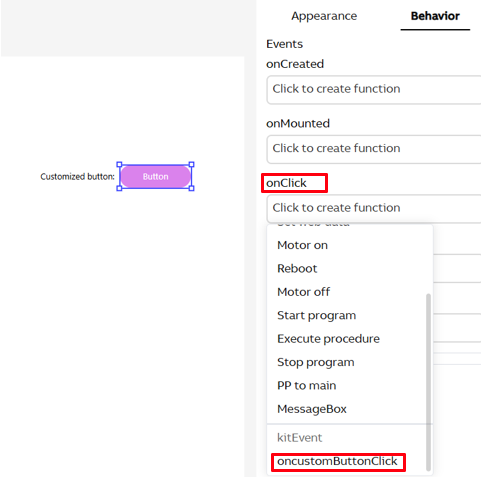
- In Component Designer, use the custom event to define the button click event. You can bind the created custom event to a button as the click event, which will be triggered when the button is clicked. This enables the component to be reusable in different contexts.
- In Webapp Designer, define the content of the custom event for different webapps. You can define a specific behavior for the custom event in each web app.