
Members
(constant) Classic communication scenarios between components
Two common component-to-component communication scenarios:
- When switching component A's current value (e.g., a select), other components (e.g., an image) update accordingly.
- When a variable (signal, RAPID variable, or web data) changes, component A's options change and another component (e.g., an image) also updates.
Recommended approach for these scenarios:
- Create a variable (signal, RAPID variable, or web data) and bind component A to it.
- In component B's onMounted event, listen for changes to that variable and update component B inside the callback.
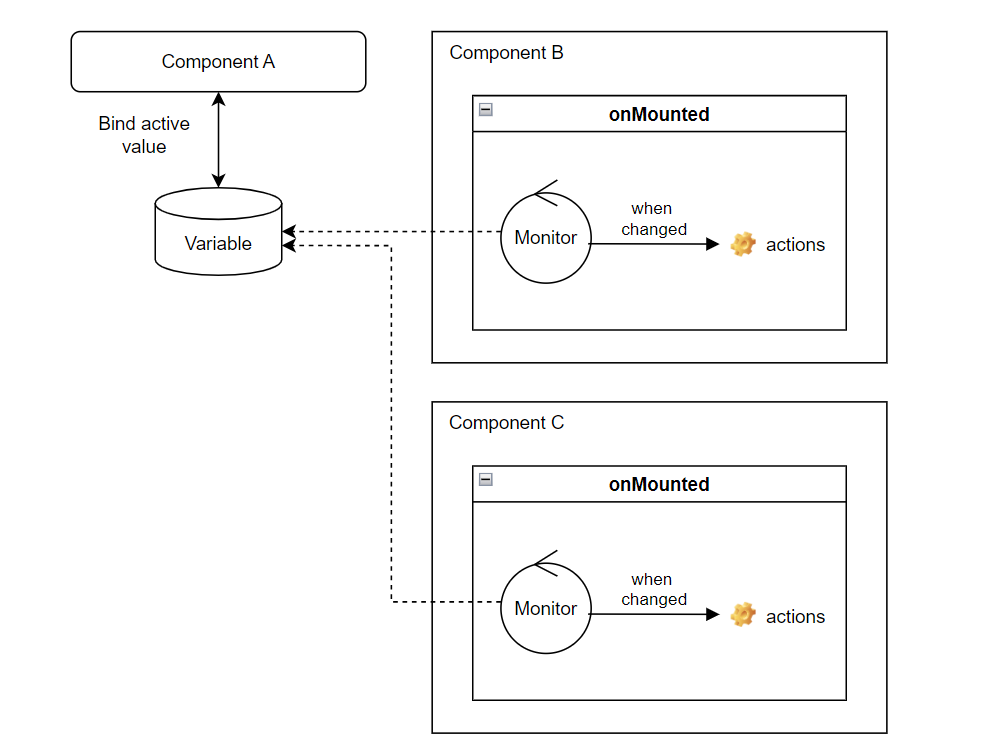
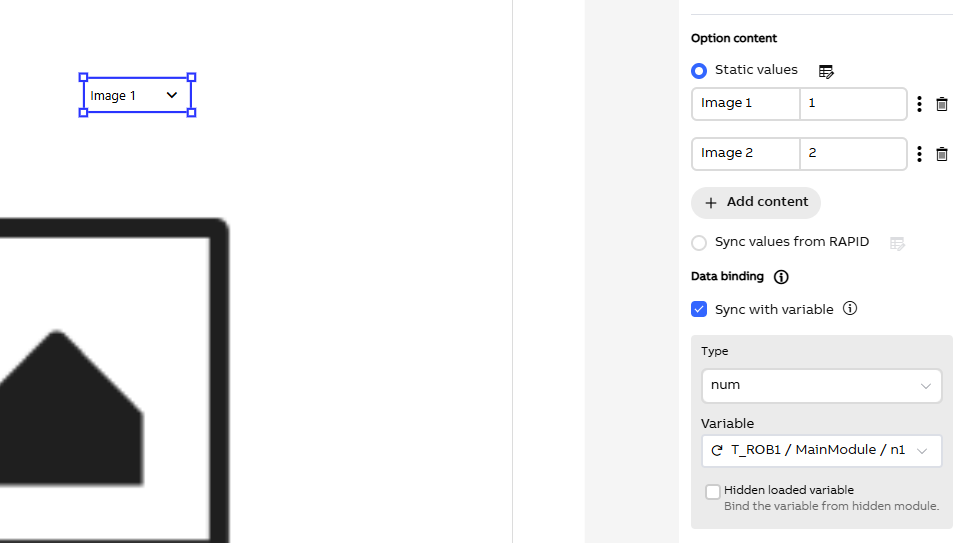
Example: To link a select component with an image component using a RAPID variable:
Bind the select component to the RAPID variable and configure its options.
Select the image component, switch to Behavior, and in the onMounted event dropdown choose "Monitor RAPID variable".
In the dialog, update the RAPID variable details you defined and add the desired action code in the callback:
setTimeout(async()=>{
            API.VARIABLEMONITOR.monitorVariable(
                {type:"num", task:"T_ROB1", module:"MainModule", name:"n1"}, // To use the RAPID variable you defined
                (v) => {
                    // To add your action here. It will be called when the value is changed.
                    this.imgSrc = "/fileservice/$HOME/WebApps/Images_AS/" + v + ".png";
                }
            )
        },0)