
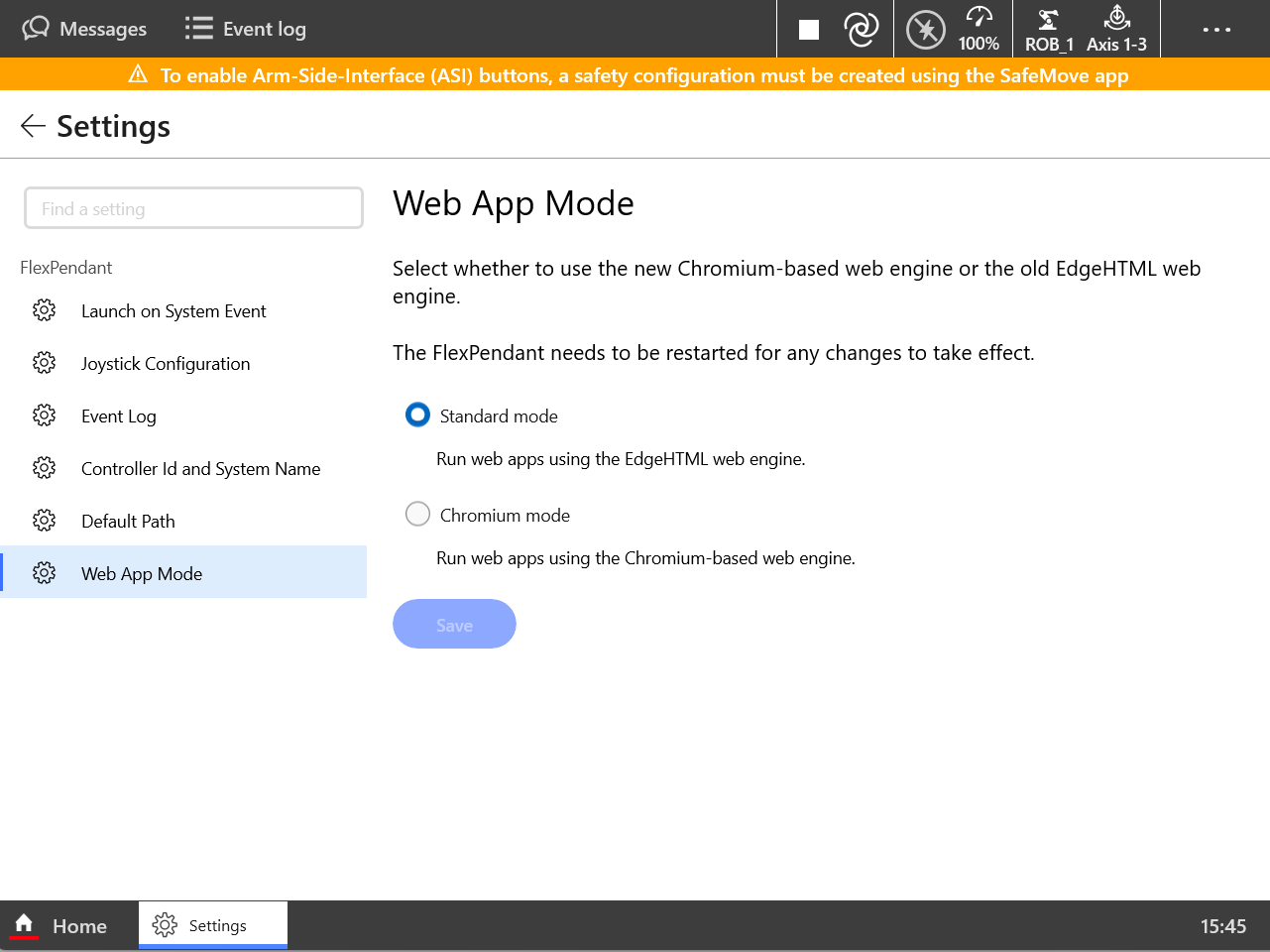
The FlexPendant is supported to work in two web app modes: standard and chromium. For better performance, it is recommended to use the chromium mode as certain features are limited in Standard mode.
Members
(constant) HEX Color
In standard mode, the static member variables are not supported by the FlexPendant.
# No effects in standard mode.
<div style="color:#ff0000"></div>

# Alternative solution
<div style="color:rgb(255,0,0)"></div>
(constant) Static Member Variable
In standard mode, the static member variables are not supported by the FlexPendant.
# No effects in standard mode, and will cause webapp runtime error
class FP{
 static count = 0;
 static printCount(){
   console.log(FP.count);
 }
}

# Alternative solution
class FP{
 static printCount(){
   console.log(FP.count);
 }
}
FP.count = 0;
(constant) ThreeDot
In standard mode, using the three-dot operator ('...') to clone an array is not supported by the FlexPendant.
# No effects in standard mode.
const arr = [1,2,3];
const arrClone = [...arr];

# Alternative solution
const arr = [1,2,3];
const arrClone = Array.from(arr);
(constant) alert
In standard mode, the alert function is not supported by the FlexPendant.
# No effects in standard mode.
alert("This is an alert message");
(constant) object-fit:contain
In standard mode, the "object-fit:contain" property is not supported by the FlexPendant.
# will not work in standard mode
<img style="object-fit: contain;" />
(constant) optional Chain
In standard mode, optional chanining is not supported by the FlexPendant, using which will cause blank screen in web app.
# No effects in standard mode.
const obj = {l1:{l2:{l3:{l4:{l5:"Hello"}}}}};
console.log(obj?.l1?.l2?.l3?.l4?.l5); // "Hello"

# Alternative solution
const obj = {l1:{l2:{l3:{l4:{l5:"Hello"}}}}};
if (obj && obj.l1 && obj.l1.l2 && obj.l1.l2.l3 && obj.l1.l2.l3.l4 && obj.l1.l2.l3.l4.l5) {
  console.log(obj.l1.l2.l3.l4.l5); // "Hello"
}
(constant) replaceAll
In standard mode, "str.replaceAll" is not supported by the FlexPendant, using which will cause blank screen in web app.
# No effects in standard mode.
const str = "Dog says: Woof Woof Woof";
const newStr = str.replaceAll("Woof", "Wang");

# Alternative solution
const str = "Dog says: Woof Woof Woof";
const newStr = str.replace(/Woof/g, "Wang");